Ir para o conteúdo

Novidades

    • Novo
    • Melhorado
    • Corrigido

    Editor: mais logotipos de marcas

    • Novas marcas: Decathlon, Watsons, Mannings, Sa Sa, Lawson Station, Ant Group, Huabei, Suntory, Kirin, Fujiya, Meiji, Nissin, Nittoh Tea, Twinings, Coca-Cola, Sprite, Fanta, Pepsi, 7UP, Mirinda, Venchi, Lady M, FASCINO, CHAGEE, CHARLIETOWN, nanamica, Columbia, Bananain, Supreme, HOKA, Timberland, KOKUYO, Campus, Bandai Namco, Super Nintendo World, Cyberpunk 2077, Durex, Okamoto, Bose, Zojirushi, Tiger
    • Novo banco: Haspa (Hamburger Sparkasse). Nova bandeira: logotipo da Mastercard com ™
    • As bandeiras duplicadas saíram, e a União Soviética, a Iugoslávia e as Antilhas Holandesas agora têm o próprio nome
    • Corrigido: ao publicar uma nova versão com o mesmo fundo, a versão sem logotipos e as camadas não eram incluídas
  1. Editor: desenhe com pincéis

    • Novo: Desenhar com lápis, caneta, marcador, caligrafia, carvão, giz, aquarela e aerógrafo, além de uma borracha. No iPad você pode desenhar com o Apple Pencil, e os traços seguem a sua pressão
    • Fica no fim da barra lateral esquerda no computador e no iPad, e em “Adicionar” no celular
    • Seu desenho vira uma camada normal. Selecione-a para continuar desenhando
  2. Ordene perfis de A a Z e escolha onde ficam as novas artes

    • Agora dá para ordenar os perfis de A a Z
    • Em “Reordenar”, escolha se as novas artes ficam no início ou no fim
  3. Linhas corrigidas no celular e tamanhos de papel de parede para Apple Watch

    • Corrigido: no celular não dava para alongar nem girar as linhas. Agora você pode arrastar cada ponta e há uma ferramenta de espessura
    • Novos rascunhos podem usar tamanhos de papel de parede para Apple Watch
    • Novas marcas: Lipton, Grid Coffee, Wagas, gaga, % Arabica, CapitaLand, Raffles City, On, Salomon, NEUTRALWORKS., KEEN, Kinokuniya, TSUTAYA BOOKS, eslite, Page One, além do símbolo da TVB e da garrafa de leite da Lawson
  4. Conta-gotas no editor e dicas ao abrir pacotes

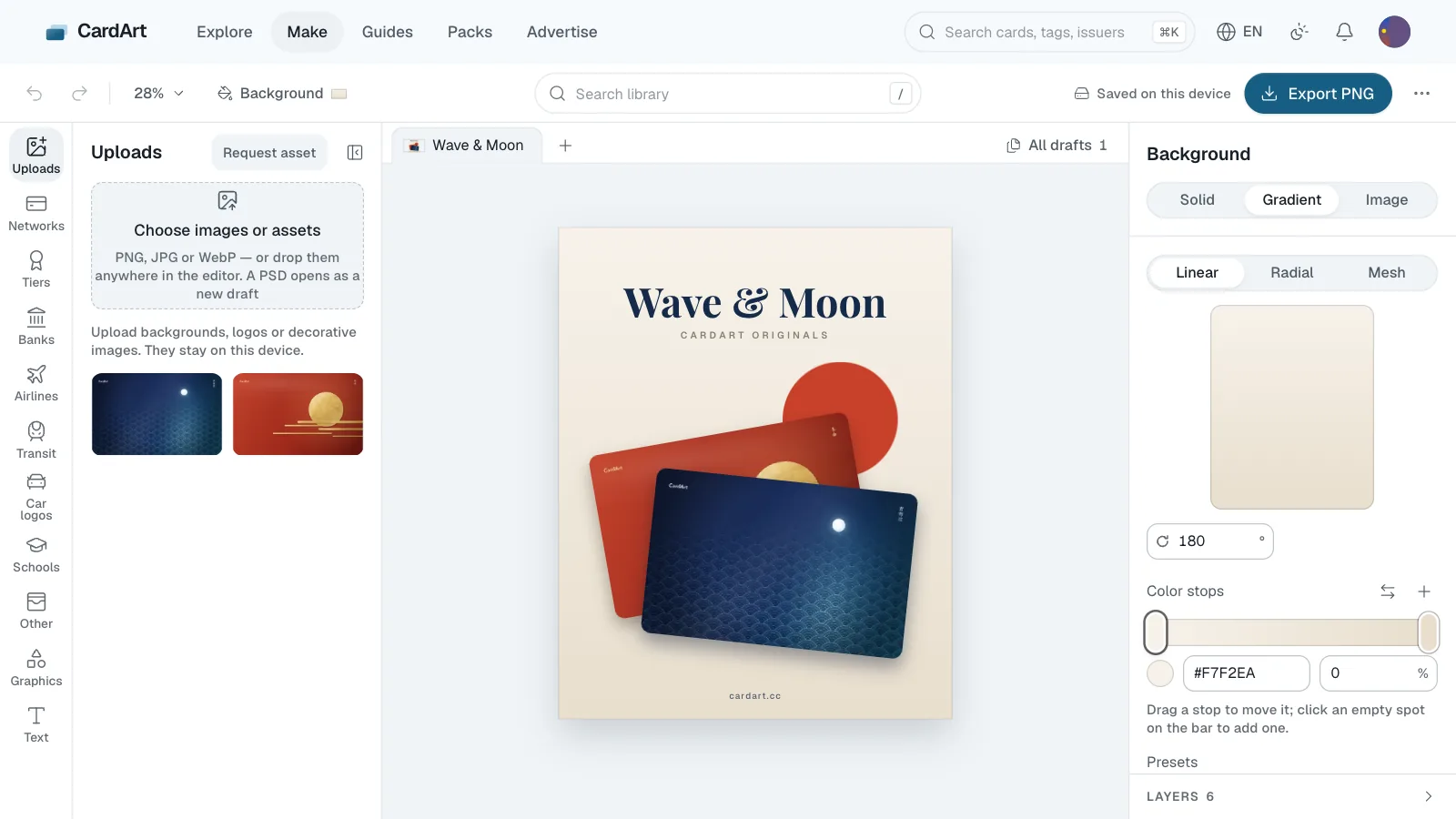
    • Editor: todo campo de cor agora tem um conta-gotas. Clique ou toque no cartão para pegar a cor daquele ponto, ou segure e arraste para ver a cor mudar; no Chrome para desktop, dá para pegar cores de qualquer lugar da tela. Os botões de cor automática agora mostram uma varinha.
    • Pacotes: uma seta mostra onde rasgar; ao mover o mouse, o pacote se inclina na mesma direção de quando você arrasta; arrastar um cartão para a esquerda ou a direita mostra "Curtir" ou "Descartar".
  5. Editor: mova o foco dos padrões novos

    • Listras de feixe, Pilares, Esfera de pontos e os outros padrões novos: arraste o ponto de foco para escolher onde o efeito aparece e baixe a intensidade para 0 para ter um padrão plano.
  6. Fazemos um app do CardArt para iOS? Responda a pesquisa

    • Estamos pensando em um app do CardArt para iOS para colecionar e criar designs de cartão no celular (um app não consegue colocar designs na Carteira). Antes de começar, queremos saber se você instalaria, quais recursos mais quer e pelo que pagaria.
    • Responder à pesquisa. Leva uns 2 minutos, precisa entrar na conta e fecha em 13 de novembro; dá para mudar as respostas depois de enviar.
  7. Editor: 11 padrões novos

    • Gráficos › Padrões: Listras de feixe, Cortina, Pilares, Grade contraída, Esfera de pontos, Torção, Ladrilhos distorcidos, Pontos de foco, Traços de corrente, Barras luminosas e Ladrilhos luminosos. Como os outros padrões, aceitam qualquer cor ou acabamento metálico.
  8. Editor: bandeiras e ícones

    • Nova aba Bandeiras: 264 bandeiras redondas de países e regiões, com busca por nome em todos os idiomas do site, do projeto de código aberto circle-flags (licença MIT).
    • Nova aba Ícones: pesquise em inglês ícones de código aberto reunidos pelo Iconify (MIT, Apache e outras licenças sem exigência de crédito). Ícones de uma cor saem em branco ou preto conforme o seletor de cor e, como os logotipos de uma cor, depois aceitam qualquer cor ou acabamento metálico; passe o cursor para ver a coleção e a licença, e a camada leva o nome da coleção.
  9. Editor: TVB, Panasonic, marcas de chá, Oyster card

    • Marcas: TVB, Panasonic, Ah Ma Handmade, Qu Cha Shan, 1 Dian Dian e CoCo Fresh Tea & Juice.
    • Cartões de transporte: o Oyster card de Londres.
    • Bandeiras: o símbolo da Mastercard com ™ no canto inferior direito.
    • Bancos: o símbolo do China Zheshang Bank sozinho.
    • Redesenhados: letras mais suaves em Shenzhen Tong, Shaoxing Rail Transit e Shenyang Metro; sem bordas serrilhadas no Khan Bank, ACLEDA Bank e no Banco Estatal de Assuntos Econômicos Externos do Turcomenistão.
  10. Editor: Xiamen E-Tong Card, CBC, BNP Paribas Fortis

    • Cartões de transporte: o Xiamen E-Tong Card (horizontal e símbolo).
    • Bancos: o CBC Banque belga (marca francófona do KBC) e o BNP Paribas Fortis.
  11. O iOS 27.2 não permite trocar a arte dos cartões: espere antes de atualizar

    • A Apple corrigiu na versão final do iOS 27.2 a falha do iOS da qual o AirCard depende, então o AirCard não consegue trocar a arte dos cartões no iOS 27.2 nem em versões mais novas.
    • Se você quer manter a arte que já trocou, fique na versão que você tem agora (como o iOS 27.0.1, ou o iOS 27.1 no iPhone Duo), não atualize para o iOS 27.2 e desative Ajustes › Geral › Atualização de Software › Atualizações Automáticas.
  12. Editor: Banco Inter e J.P. Morgan

    • Bancos: o Banco Inter (o sol e a marca inter) e o logotipo da J.P. Morgan.
  13. iPhone Duo na página inicial e no simulador de Wallet

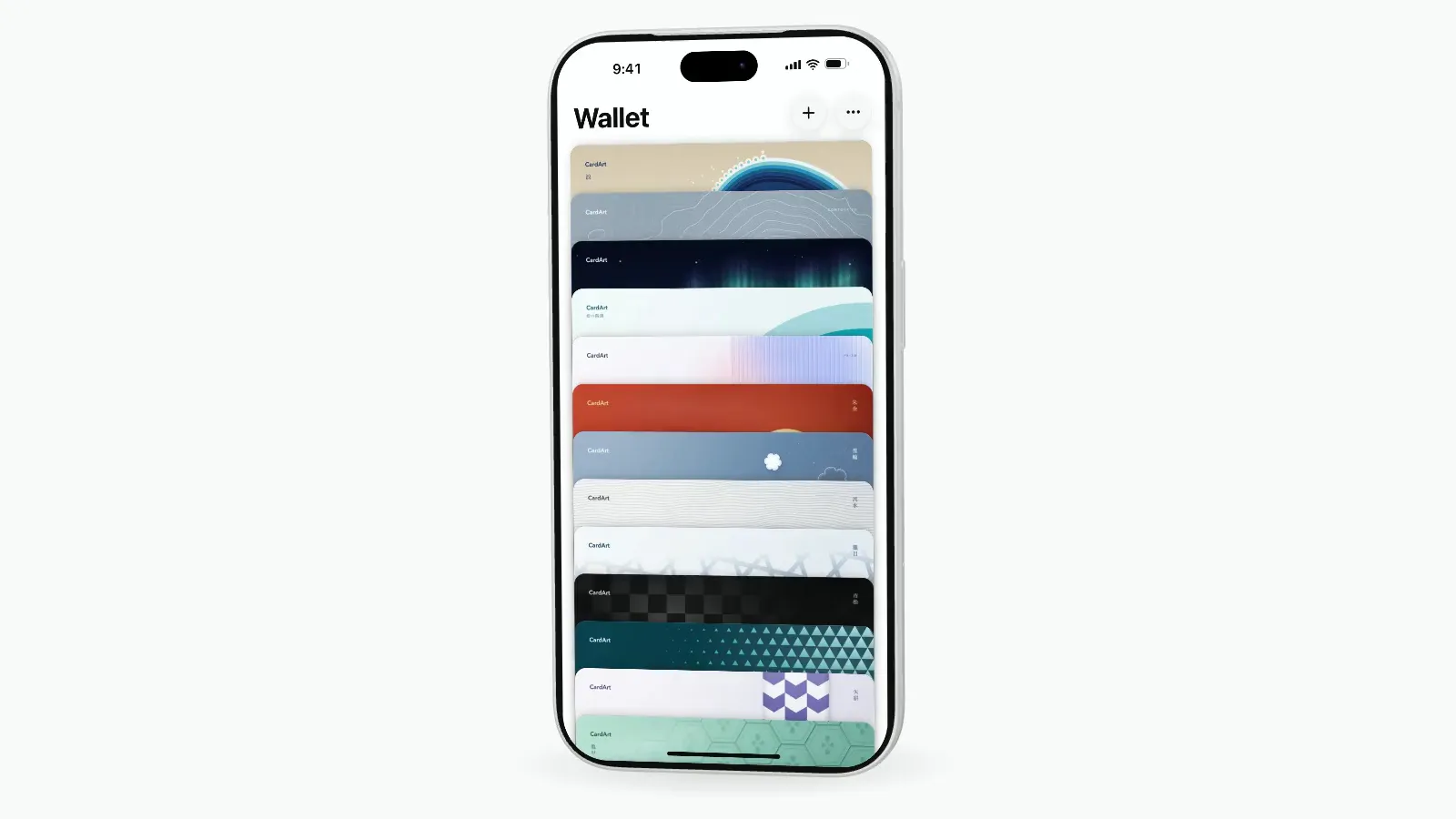
    • O iPhone 3D da página inicial agora é um iPhone Duo fechado, com a Wallet organizada como na tela externa do Duo.
    • No simulador de Wallet, escolha entre iPhone Duo e iPhone 18 Pro. O Duo abre e fecha, em Céu noturno ou Branco-estrela.
  14. Editor: o centurião da American Express

    • Bandeiras: o retrato do centurião do meio dos cartões American Express, com a moldura oval. Ele fica no centro do cartão em tamanho real e aceita qualquer cor, dourado ou prateado. Busque por "centurião".
  15. Editor: universidades de Macau

    • Escolas: as dez instituições de ensino superior de Macau, entre elas a Universidade de Macau, a Universidade Politécnica de Macau, a Universidade de Turismo de Macau e a Universidade de São José.
  16. Editor: níveis de cartões empresariais, City Union, duas universidades de Hubei

    • Níveis: Visa Signature Business, Infinite Business, Platinum Business e Corporate; Mastercard titanium business, platinum business e corporate.
    • Cartões de transporte: a marca chinesa City Union de interoperabilidade entre cidades, com e sem moldura.
    • Escolas: Universidade Agrícola de Huazhong e Universidade de Tecnologia Automotiva de Hubei.
  17. O CardArt agora fala português

    • Escolha Português no menu de idioma para explorar e criar artes de cartão e jogar em português do Brasil. Os guias e as páginas legais também estão traduzidos. O francês chegou junto.
  18. Editor: tigre do Maybank, Chechengtong de Shiyan

    • Bancos: o Maybank agora tem o tigre sozinho e uma versão sem a caixa amarela.
    • Cartões de transporte: Chechengtong de Shiyan (horizontal e símbolo) e Ônibus de Shiyan.
  19. Turn portrait images to landscape

    • When uploading a card, new buttons under the crop frame rotate the image 90° left or right, so a portrait card face can fill the landscape card.
    • In the maker, background images can also be rotated 90° left or right.
    • For a rotated image layer, Fill canvas and Fit canvas now keep the rotation and size the image as it's turned.
  20. Maker: clipping masks, layer visibility, copy and paste

    • Clipping mask: a photo can show only inside the text or mark below it, and still be moved and resized (⌥⌘G).
    • The layer list has a show / hide toggle (⇧⌘H). Hidden layers aren't exported or published.
    • Copy, cut and paste layers (⌘C / ⌘X / ⌘V), also into another draft. Select three or more layers to distribute them evenly.
  21. China Development Bank, Bank of Jiangsu and 39 more Chinese banks in the maker

    • Banks · Mainland China: China Development Bank, the Export-Import Bank of China, China Bohai Bank and Hengfeng Bank, plus city commercial banks: Jiangsu, Shanghai, Ningbo, Nanjing, Huishang, Chengdu, Changsha, Chongqing, Tianjin, Guiyang, Zhengzhou, Qingdao, Qilu, Suzhou, Guangzhou, Harbin, Shengjing, Hebei, Xiamen International, Xiamen, Jiangxi, Dongguan, Hubei, Hankou, Gansu, Lanzhou, Jinshang, Jiujiang, Guizhou, Fudian, Xi'an, Zhejiang Chouzhou, Zhejiang Tailong, Zhejiang Mintai, Dalian, Longjiang and Kunlun. Most come with their full logo and the symbol on its own; Bank of Changsha and Bank of Chongqing have the symbol only.
  22. Luckin Coffee, Vans and more in the maker, plus sharper transit marks

    • Other · Brands: Luckin Coffee (with its symbol), Cotti Coffee, M Stand, Sushiro's English mark and SUSHIRO lockup, Vans (with its wordmark and skateboard logo), The North Face Purple Label, BEAMS, Birkenstock (with its symbol) the Kerry Group crane, Hangzhou Kerry Plaza and Seesaw Coffee.
    • Airlines: Loong Air (with its symbol).
    • Transit · Mainland China: Hangzhou Public Transport.
    • Redrawn marks that looked rough or had wobbly lettering when enlarged: the Suica globe marks (with "+", with the two dots, rail style), Chang'an Card, Xiaoxiang Payment, Chongqing City Card, Jinlingtong, Lingnan Pass, Qindaotong, Ningbo Citizen Card, Taizhou Public Transportation Card, Changsha Metro, Jinhua Rail Transit, Kunming Metro, Xiamen Metro, the Wuhan and Xi'an Metro lockups and Nanning Rail Transit.
  23. Gentler review for “Only me” cards

    • Cards made from family photos or selfies can now be kept visible only to you. Review only stops sexual, violent or hateful content.
    • To make such a card public, it goes through the regular review once more. Until then, only you can see it.
  24. Keep your layers to yourself

    • If you publish from the maker without letting others edit the layers, your layers are still saved. Only you can open them from the card page and keep editing.
  25. Wuhan Tong and more in the maker

    • Transit · Mainland China: Wuhan Tong (with its symbol, a horizontal version and a text-only version).
    • Networks · Malaysia: MyDebit.
    • Banks · Hong Kong: Bank of China (Hong Kong), English version.
  26. Danish banks in the maker

    • Banks · Denmark: Sparekassen Danmark, Sydbank, Nykredit, Spar Nord, Lunar, Saxo Bank, Coop Bank, Express Bank, Lån & Spar Bank, Andelskassen, Merkur Andelskasse, Ringkjøbing Landbobank, Sparekassen Kronjylland, SJF Bank, Middelfart Sparekasse, Djurslands Bank, Sparekassen Thy, Skjern Bank, Sydjysk Sparekasse, Fynske Bank, Lægernes Pension & Bank, Kreditbanken, Facit Bank, kompasbank, Hvidbjerg Bank, Møns Bank, Lollands Bank, Frørup Andelskasse, Sparekassen for Nørre Nebel og Omegn, Rise Sparekasse, Sparekassen Bredebro, Dragsholm Sparekasse, Sparekassen Balling, Frøslev-Mollerup Sparekasse, Sønderhå-Hørsted Sparekasse, Andelskassen Fælleskassen, Borbjerg Sparekasse, FasterOikos, Klim Sparekasse, Maj Invest Bank and Stadil Sparekasse (some with their symbols); Nordea is now listed under Denmark too.
    • Banks · Denmark (Faroe Islands, Greenland): Føroya Banki, Betri Banki, GrønlandsBANKEN, Norðoya Sparikassi, Suðuroyar Sparikassi.
  27. A new layout for Guides

    • Guides now opens with Get to know CardArt and No card yet?, and the AirCard guides are grouped together.
    • The Plasma card guide has the latest fees from Plasma, plus what makes the card stand out.
  28. Japanese interface type

    • On Windows, the Japanese interface now uses Noto Sans JP, so it looks much like it does on Apple devices.
    • Kana and punctuation now use proportional widths for tighter text.
    • Novo
    • Melhorado
    • Corrigido

    RIMOWA, the SHIBUYA109 building mark and Windesheim in the maker

    • Other · Brands: RIMOWA and the SHIBUYA109 building mark.
    • Schools: Windesheim University of Applied Sciences (with its symbol).
    • The Xiaomi EV badge now uses the silver badge with dark letters that the cars carry.
    • Kolon Sport, AMI Paris and Balenciaga could not be found in the maker before. They now show up.
  29. UAE banks and a batch of brand marks in the maker

    • Banks: Emirates NBD, First Abu Dhabi Bank, Abu Dhabi Commercial Bank, Mashreq, Dubai Islamic Bank, Abu Dhabi Islamic Bank, Emirates Islamic, RAKBANK, Commercial Bank of Dubai, National Bank of Fujairah, Sharjah Islamic Bank, Ajman Bank, Commercial Bank International, Bank of Sharjah, Al Hilal Bank, Wio, Liv, Zand and Mbank (all with their symbols).
    • Other · Brands, shopping: Taikoo Li, Hang Lung Plaza, Hang Lung Properties, K11, K11 MUSEA, Times Square Hong Kong, Sam’s Club (global and China), Hema, SHIBUYA109, Ito-Yokado, ITOKIN, NEWoMan, dm, Walmart, Don Quijote, Bic Camera.
    • Other · Brands, food: Baskin-Robbins, Papa Johns, Pizza Hut, Taco Bell, Shake Shack, Costa Coffee, Pacific Coffee, Sushiro, Hama Sushi, Kura Sushi, Mister Donut, Ichiran, Ippudo, Beard Papa, Din Tai Fung, Glico (with the runner symbol), Garigari-kun.
    • Other · Brands, sport and fashion: Onitsuka Tiger, Descente, Goldwin, mont-bell, Kolon Sport, Arc’teryx, The North Face, Alo Yoga, New Balance, Converse, adidas Originals trefoil and the three-stripe mark, Balenciaga, Gap, Moncler, Chrome Hearts, AMI Paris, DOD, JINS, Zoff, CASETiFY, PopSockets, Ericsson, the Xiaomi lockup (with its symbol and wordmark).
  30. Changzhou bus marks, and a contactless mark beside the last four digits

    • Transit: Changzhou Bus (with its symbol) and the Changzhou Citizen Card.
    • The Text panel’s Last four digits group has a new “Last four + contactless” option: it adds the digits with the contactless mark to their left, laid out like an American Express Gold card. Both stay editable afterwards.
    • While editing text, the “•” button inserts a bullet at the cursor, and every font shows and exports it correctly.
  31. Batch upload, straight into an album

    • Upload a set of cards at once: pick or drop several images on the upload page, up to 20 per batch. Each card gets its own name; type, region, tags and the rest are filled in once for the whole batch.
    • While batch uploading you can put the cards into an existing album or create a new one; they appear in the album once they pass review.
    • Batch uploads are checked more strictly than single ones: your account needs to be at least 3 days old with 3 approved cards and few recent rejections; names must be unique and can’t be file names or links; a batch pauses itself after 3 rejected cards.
    • Albums have a new Add cards button: pick several cards from your uploads, your likes or search results and add them in one go.
    • In My uploads you can select several cards and add them to an album together. Cards still in review can go in too and show up once approved.
  32. Japanese department stores, fast food and more in the maker

    • Other · Brands: Mitsukoshi, Isetan, Takashimaya, Daimaru, Matsuzakaya, Matsuya Ginza, Marui, and the Hankyu, Hanshin, Seibu, Sogo, Tokyu, Odakyu, Keio and Kintetsu department stores; McDonald’s lockup, red box and wordmark; KFC (with the Colonel and the wordmark), Burger King, Subway, Dairy Queen; Intime, The MixC, MIXC ONE, MIXC WORLD (also with “the”), Beijing, Jing An, Hangzhou and Qianhai Kerry Centre, SKP, METRO China, METRO, ifc mall.
    • Airlines: Air China lockup and Chinese wordmark, Asia Miles (with its bilingual and English lockups).
    • Schools: Toronto Metropolitan University.
    • The JR Shikoku symbol now matches the blue of its JR四国 logo.
  33. Faster switching on Explore

    • Switching between real cards and original designs, card types or sort order on Explore is faster, signed in or not.
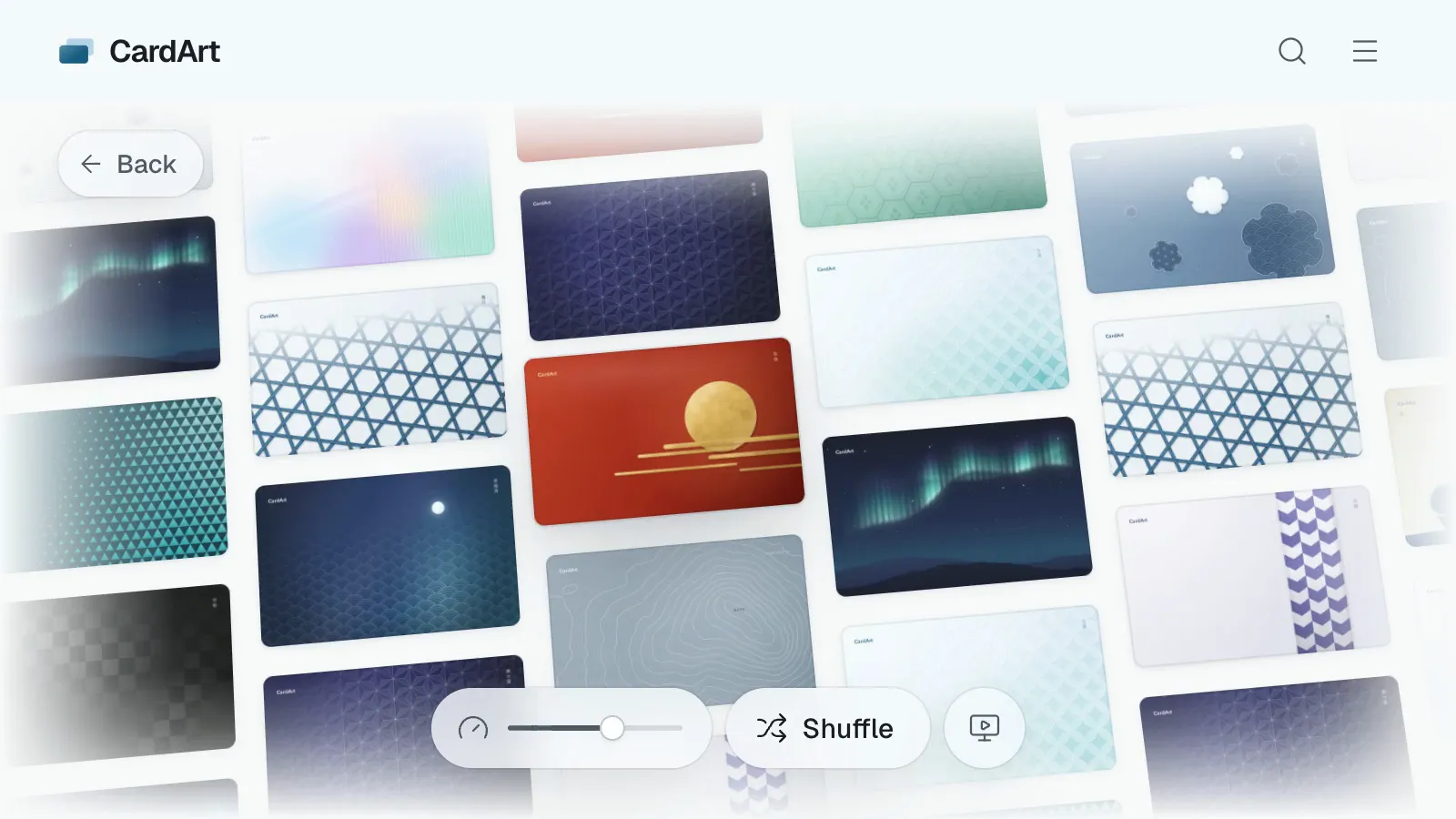
  34. Switch between real cards and original designs on Explore

    • A new switch under the Explore title shows all cards, only real cards or only original designs, on phones too.
  35. Get to know CardArt, and Albums in the menu

    • Get to know CardArt shows what you can do on the site and where to find it.
    • Albums is now in the top navigation: the Albums tab in Explore lets you flip through everyone’s public albums. Advertise has moved to the footer.
    • Bigger changelog entries now come with a short demo.
  36. National Rail and six more banks in the maker

    • Transit in the maker adds National Rail.
    • Banks add Halifax, TSB, Metro Bank, Royal Bank of Scotland, Bradesco and Caixa.
  37. UK transit, LATAM and Brazilian marks in the maker

    • Transit in the maker now goes past the London Underground: the Elizabeth line, London Overground, the DLR, London Buses, London Trams, the Glasgow Subway, the Tyne and Wear Metro, Great Western Railway and LNER.
    • Brazil adds the São Paulo Metro and MetrôRio. Airlines add LATAM, LATAM Pass, easyJet, Virgin Atlantic, GOL, Azul, Avianca and Aerolíneas Argentinas.
    • Banks add Banco do Brasil. Chase now shows under the United Kingdom, and Santander under Brazil.
  38. Saudi bank and transit logos in the maker

    • “Banks” in the maker adds Bank Albilad, Aljazira Bank, ANB, BSF, SAIB, GIB, STC Bank and D360 Bank.
    • Transit now includes Saudi Arabia, with logos for Darb Riyadh Public Transport, SAPTCO and Saudi Arabia Railways (SAR), plus local themes in AI prompts.
    • Schools adds the horizontal logo and standalone tower symbol of King Fahd University of Petroleum & Minerals (KFUPM). New assets include black and white versions, with colour and dark-background options where available.
  39. More schools, airlines, transit, banks and brands in the maker

    • The maker adds 331 sets: 114 universities, 46 airlines, 35 transit marks, 66 banks and 70 brands.
    • Search by region, local name or common abbreviation.
  40. Álbuns e envios “Só eu”

    • Novos álbuns: reúna suas artes e as de outras pessoas em álbuns, deixe-os privados, reordene, personalize a capa e folheie em 3D como um fichário de argolas de verdade.
    • Salve álbuns de outras pessoas; os álbuns salvos ficam em Álbuns no seu perfil e só você os vê.
    • As páginas das artes mostram os álbuns em que elas estão, e “Folhear envios em 3D” no perfil transforma os envios de alguém em um fichário.
    • Os envios podem ficar como “Só eu” e virar públicos quando você quiser.
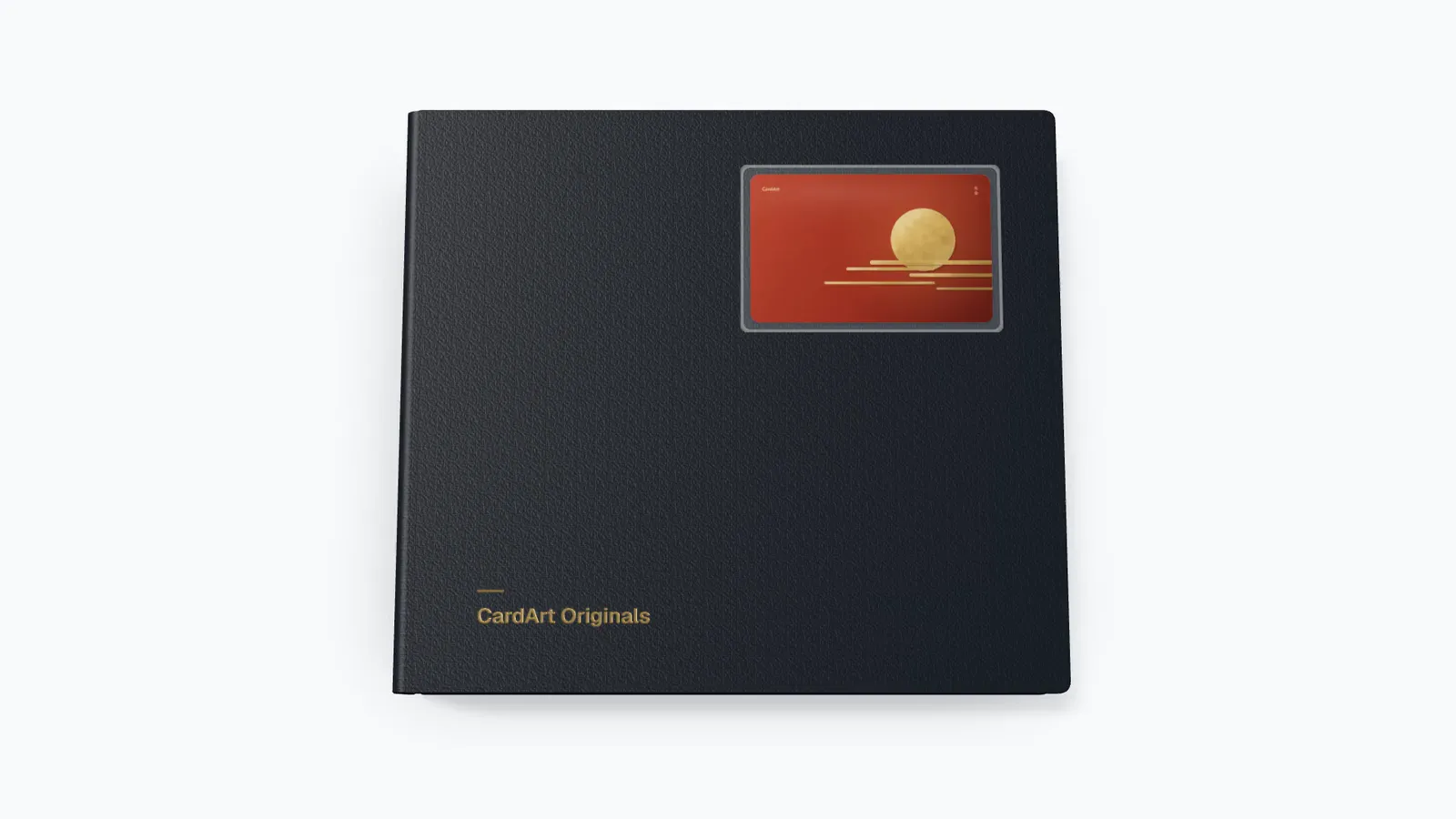
    • Folheie o álbum oficial CardArt Originals.
  41. More bank and transit logos

    Added the logos requested in your feedback: PrivatBank, monobank, Sense Bank, PUMB and àbank in Ukraine; isybank and HYPE in Italy; and Taishin Richart in Taiwan.

    Also expanded the collection of major banks, railways, urban transport and transit cards across these regions. Full logos and independently usable symbols are available separately where supported, with suitable color, light and dark versions.

    Added a Visa Debit lockup with DEBIT above VISA. Find it in Tiers, with color, white, black, gold and silver versions. Adjusted the DEBIT lettering, size, position and spacing to match the reference card shared in feedback.

    Search by name or browse by region in Banks or Transit in the maker. If an asset is still missing, use Request asset to tell us.
  42. University logos and emblems improved

    Added Goethe University’s full logo with its university name and corrected several UK and European university assets that showed only a portrait, shield or abbreviation. Separate emblems now appear beside their university’s full logo where available.

    Fixed the University of Liverpool logo failing to display and improved the Schools grid: consecutive single logos fill the available columns, while full logos and separate emblems stay together in their university’s row.

    Search for a university in Schools in the maker to choose its full logo or emblem.

  43. More university logos

    The maker’s Schools library now includes 113 more universities and academic institutions, with extensive coverage of Europe and the UK and all eight US Ivy League universities. Additions include Goethe University, Oxford, Cambridge, Imperial College London, ETH Zurich, EPFL and the Technical University of Munich.

    Browse Schools by region in the maker, or search by university name or abbreviation. Logos keep their original proportions and include suitable options for light and dark cards. Where available, a separate emblem appears beside its university logo.

    Still missing your university? Select “Request asset” in the asset panel to send us a request.

  44. More Octopus logo forms in the maker

    • Transit in the maker adds the official Octopus horizontal logo and standalone infinity symbol, alongside the existing Octopus logo under Hong Kong.
    • Both new forms come in colour, white and black. The horizontal logo also has a colour version for dark backgrounds.
  45. Malaysian bank and transit logos in the maker

    • “Banks” in the maker adds Malaysian logos for RYT Bank, Boost Bank, KAF Digital Bank, Bank Muamalat, MBSB Bank and Agrobank, plus standalone symbols.
    • Transit now has a Malaysia region, with Touch 'n Go, Rapid KL, Rapid Penang, Prasarana, MyRapid, MRT Corp, KTMB, KTM Komuter, ETS, KTM Intercity, KLIA Ekspres and KLIA Transit logos.
    • HSBC, Standard Chartered, UOB, OCBC, Bank of China, ICBC and Al Rajhi Bank can now also be found under Malaysia.
    • New logos include white and black versions, with colour and dark-background versions where available. The transit logos also support local themes in AI prompts.
  46. Introducing Art Card

    • Art Card is a new category for illustrations, photography and visual designs in card format that do not represent a specific card product.
    • Choose it when uploading a new work or editing an existing one.
    • Select Art Card on Explore to browse these works together.
  47. Bank and transit logos for Germany in the maker

    • “Banks” in the maker now includes 21 more bank and card-issuer brands available in Germany, including DKB, Postbank, comdirect, Volksbanken Raiffeisenbanken, C24 Bank, Trade Republic, HypoVereinsbank, Sparda and PSD Bank.
    • Transit adds 35 German logos, including RMV, BVG, hvv, MVV, VBB, VRR, VRS, VVS, MVG, S-Bahn and U-Bahn, for card designs from different cities and regions.
    • Santander, Revolut, Wise and bunq now also appear under Germany.
    • The new logos come in colour, white and black versions for light and dark card designs.
    • A new “Can’t find the asset you want?” link in the asset panel opens feedback in a new tab with “Suggestion” selected, so you can request missing assets.
  48. Easier to find cards, and easier to fill in details when uploading

    • Search now understands different spellings of the same thing: anime, アニメ and 二次元 all find cards tagged 动漫, and bank short names such as 招行, 工行 or CMB find that bank’s cards.
    • Card descriptions are now searchable too.
    • Card names now show the issuer first, for example “China Merchants Bank · Night Harbor”. If the name already includes the issuer, it isn’t repeated.
    • When uploading, “Title” is now “Design name”: just describe the IP, character or artwork and pick the issuer separately below. Debit, credit and transit cards need an issuer; if yours isn’t listed, type its name.
    • While you type a tag, popular tags are suggested, and you can reuse the tags from your last upload in one tap. You’ll get a reminder if the design name is very short or there are no tags yet.
  49. Making iPhone wallpapers on a phone is smoother

    • On a phone, the Edit / Preview, Lock / Home, guide and Always-On switches for iPhone wallpapers now stand in a column beside the canvas, so the design gets more height.
    • The guide’s layout settings open in the bottom panel, with the canvas moved above it, so you can see the clock height change as you adjust it.
    • Opening a bottom panel moves the canvas, the phone preview and the controls along with it smoothly instead of jumping.
    • The thin white line between the screen and the frame in the phone preview is gone.
  50. Blend modes, shadows and shape masks in the maker

    • Any layer can take a blend mode (Multiply, Screen, Overlay, Soft Light and 11 more), and a drop shadow or outer glow with its own colour, blur, distance and angle.
    • Pictures can show through a shape — a rounded rectangle, circle, heart, star, arch and more. Crop the picture in “Edit image” to choose which part shows.
    • Text gets line spacing, an outline and gradient fills.
    • “Edit image” has a new “Adjust” tool: exposure, brightness, contrast, highlights, shadows, saturation, temperature and more, plus 8 filters.
    • Downloaded PSDs keep each layer’s blend mode, and opening a PSD keeps the blend modes the browser supports.
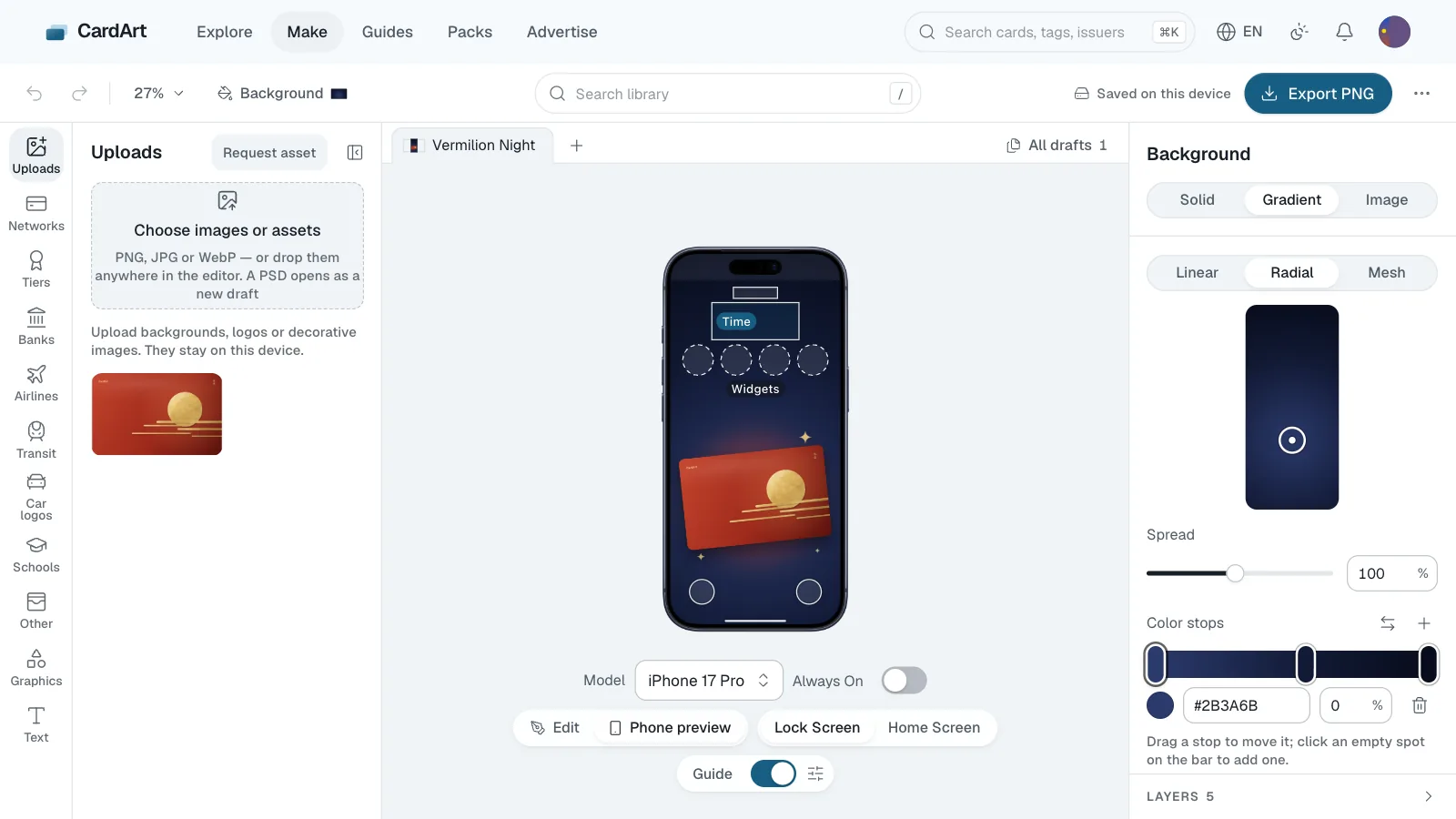
  51. iPhone wallpapers in the maker

    • New drafts in the maker can be iPhone wallpapers, at each model’s native resolution — from iPhone X to iPhone 18 Pro Max, plus the iPhone Duo’s outer and inner screens (the inner one landscape as it opens, or portrait).
    • A guide sits over the canvas, for the Lock Screen or the Home Screen: the time, date, widgets, flashlight and camera, or the app icons, Search and the Dock; the shaded corners are what the rounded display cuts off. It’s only for reference and never appears in the exported image. Set the Lock Screen up like your own: hide the parts you don’t use, build the widget row from circular and rectangular widgets, put it below the time or at the bottom, and stretch the time taller.
    • Switch to “Phone preview” and the wallpaper settles into a real device frame, with the same guide as the canvas. Models that share a resolution can be swapped to compare, and on models with an Always-On display you can see the wallpaper dimmed.
    • Backgrounds and shapes take multi-colour gradients — linear, radial and mesh — with a set of presets, and grain can cover the whole picture. Any layer can be blurred into a soft glow, and shapes can turn into frosted glass that shows what’s beneath them, blurred. New shapes: sparkle, star, heart, crescent, cloud, hexagon, pentagon and burst. In the downloaded PSD, grain gets its own layer and frosted glass comes baked from what’s below it.
  52. China T-Union and UnionPay marks follow the official rules

    • In the maker, the China T-Union mark now uses the official artwork, sits 3 mm from the bottom edge and may also go top right. On white or light cards its edge turns light grey.
    • The UnionPay mark is now the size its rules give, an 11.8 mm tall colour block, and so is the metallic silver one. On light cards the framed sticker version gets a light grey ground.
    • When T-Union and UnionPay share a card, either may go anywhere, as long as it is upright, at least its spec size and fully on the card.
    • You get a heads-up when another mark or text sits on a network mark, and Arrange no longer stacks marks on T-Union or QuickPass.
  53. Posters in the maker

    • New drafts in the maker now ask for a size: the bank card, or square 1:1, portrait 4:5, story 9:16, widescreen 16:9, A4 portrait, or any width and height you type. A poster exports at that size as PNG, JPEG or PSD and uses the whole library, but can’t be shared to CardArt.
  54. Outlines for library marks

    • In the maker, marks from the library (networks, banks, transit, brands…) can now take an outline like uploaded images, with any color and thickness. Marks whose rules allow no changes (Visa, Mastercard…) flag the outline, and Put back to spec removes it.
  55. Coffee, lifestyle and hotel brands and airline alliances in the maker

    • Other › Brands in the maker adds Starbucks, Peet's Coffee, HEYTEA, Manner, Blue Bottle Coffee, IKEA, NITORI, niko and ..., LoFt, HANDS, Snow Peak, GU, Four Seasons, Mandarin Oriental, Banyan Tree and Aman, plus wordmarks for 7-Eleven and UNIQLO.
    • Airlines adds Star Alliance, SkyTeam, oneworld and Air China's phoenix; Banks adds the People's Bank of China; Other › Mobile payments adds e-CNY.
  56. Marks follow the networks' card-face rules

    • In the maker, China T-Union, UnionPay, Visa, Mastercard and other network marks now go on at the size and spot their card-face rules give. T-Union moves to the bottom right, 20 mm wide.
    • Select a mark to see its rule. If its size, position or color drifts, the panel says so, and Put back to spec fixes it.
    • You also get a heads-up when something covers the lower left, where Wallet shows the card's last four digits.
  57. An About page in the maker

    • The maker's More menu now has About the maker: the export size, when you need to sign in, how network specs work, and a link to the guide on changing your card art.
  58. Easier filtering

    • On desktop, a new row sits next to the themes: type a tag and press Enter, tap Real card or Original design, or open Network, Country or region and Issuer to search.
    • More cards load as you scroll.
  59. French banks and transit cards in the maker

    • Banks in the maker adds 30 French banks and issuers: Crédit Mutuel, CIC, Banque Populaire, Caisse d'Épargne, La Banque Postale, LCL, BoursoBank, Hello bank!, Fortuneo, Nickel, Qonto, Cetelem, Oney, and meal-voucher cards such as Swile, Pluxee and Edenred. Revolut and N26 now also show up under France.
    • Transit adds Paris (RATP, Métro, RER, Transilien) and SNCF, plus the networks and cards of Lyon, Marseille, Nice, Toulouse, Bordeaux, Nantes, Lille, Strasbourg, Rennes, Rouen and more (Pastel, Pass Pass, Badgéo, KorriGo, Oùra, Zou! and others).
  60. Buy CardArt a coffee

    • The footer, card pages and the maker (the export message and the More menu) now have a “Buy me a coffee” button for supporting CardArt through Buy Me a Coffee. Cards stay free to download.
  61. Advertise on CardArt

    • CardArt now sells a small number of ad placements: the home page cards, Explore, card pages, the guide sidebar and the footer. On Advertise you pick a placement, make your creative, preview it and book it by the day, week or month.
    • Every ad is reviewed automatically before you pay. Once it’s approved, pay with USDT or USDC and it starts and ends on its UTC dates by itself.
    • For the first month every placement is 20% off; the end date is shown on Advertise.
    • Ads always carry an AD label, and opening one shows who the advertiser is and who paid. They use no cookies, no cross-site tracking and no profiling. See the Advertising Policy and the updated Privacy Policy.
    • In the top navigation, Advertise replaces Overhang. You can still open Overhang from the card pack daily tasks and from Explore.
  62. US transit cards and banks in the maker

    • Transit in the maker adds 78 US marks: New York's MTA, OMNY, LIRR, Metro-North, PATH and NJ TRANSIT; the Washington Metro and SmarTrip; Boston's MBTA and CharlieCard; SEPTA in Philadelphia; BART, Muni and Caltrain in the Bay Area; LA Metro; ORCA in Seattle; Hop in Portland; MARTA and Breeze in Atlanta; CTA and Metra in Chicago; the transit agencies of Denver, Dallas, Houston, Honolulu and more; plus Amtrak and Brightline.
    • Banks gains 84 US issuers: big banks and card issuers such as Truist, Goldman Sachs, Charles Schwab, Citizens, Fifth Third, KeyBank, USAA, Ally and Synchrony; credit unions such as BECU and Golden 1; fintechs such as Robinhood, Affirm and Mercury; brokerages such as Fidelity, Vanguard and Merrill; and Cathay Bank, East West Bank and Hanmi Bank.
    • Other · Brands and Airlines add co-brand partners from popular cards: Southwest, JetBlue, Costco, Target, Amazon and IHG One Rewards.
  63. CardArt now speaks Spanish

    • Choose Español in the language menu to browse, make card art and play in Spanish. Guides, legal pages and the changelog are in Spanish too.
  64. Metros, transit cards and banks from Spanish-speaking countries in the maker

    • Transit in the maker adds Spain (the Madrid, Barcelona, Valencia, Bilbao, Seville and Málaga metros, the Madrid transport card, T-mobilitat, Rodalies and Cercanías), Mexico (Mexico City Metro, Metrobús, the MI card, Monterrey, Guadalajara and the Tren Suburbano) and South and Central America (Buenos Aires Subte, SUBE, Santiago Metro, bip!, Lima, Quito, Medellín Metro, TransMilenio, Caracas, Panama and more).
    • Banks gains 68 issuers: Sabadell, Bankinter and Openbank in Spain; Banorte, Banamex and Banco Azteca in Mexico; Galicia, Ualá and Mercado Pago in Argentina; BancoEstado and Banco de Chile in Chile; Bancolombia and Nequi in Colombia; BCP and Yape in Peru; plus the main banks of Uruguay, Panama, the Dominican Republic, Costa Rica, Puerto Rico, Venezuela and others.
    • The region menu now has Latin America, split by country, and issuers such as Santander, BBVA and Scotiabank also show up in the countries where they issue cards.
  65. More metro logos and 80 new banks in the maker

    • Transit in the maker now covers all 45 mainland Chinese cities with a metro, including Tianjin, Chongqing, Wuhan, Chengdu, Xi’an, Suzhou, Changsha and Nanchang. Most come with a horizontal (or stacked) logo with Chinese and English names, plus the symbol on its own; Nanchang’s Hongcheng Yikatong card is new too.
    • New for Hong Kong, Macao and Taiwan: Macao Light Rapid Transit, New Taipei Metro, Taoyuan Metro, Taichung MRT and Kaohsiung Metro. Transit’s region list now has Macao.
    • Banks gains 80 issuers: Japan Post Bank, Sony Bank, EPOS and PayPay Card in Japan; Krungthai and Krungsri in Thailand; Lotte Card and Hana Card in Korea; Public Bank, RHB and Hong Leong in Malaysia; Desjardins and Tangerine in Canada; Macquarie, Up and full CommBank and NAB logos in Australia; BNZ and Kiwibank in New Zealand, and more.
    • Search by city or bank name to find them.
  66. Open up to 10 packs at once

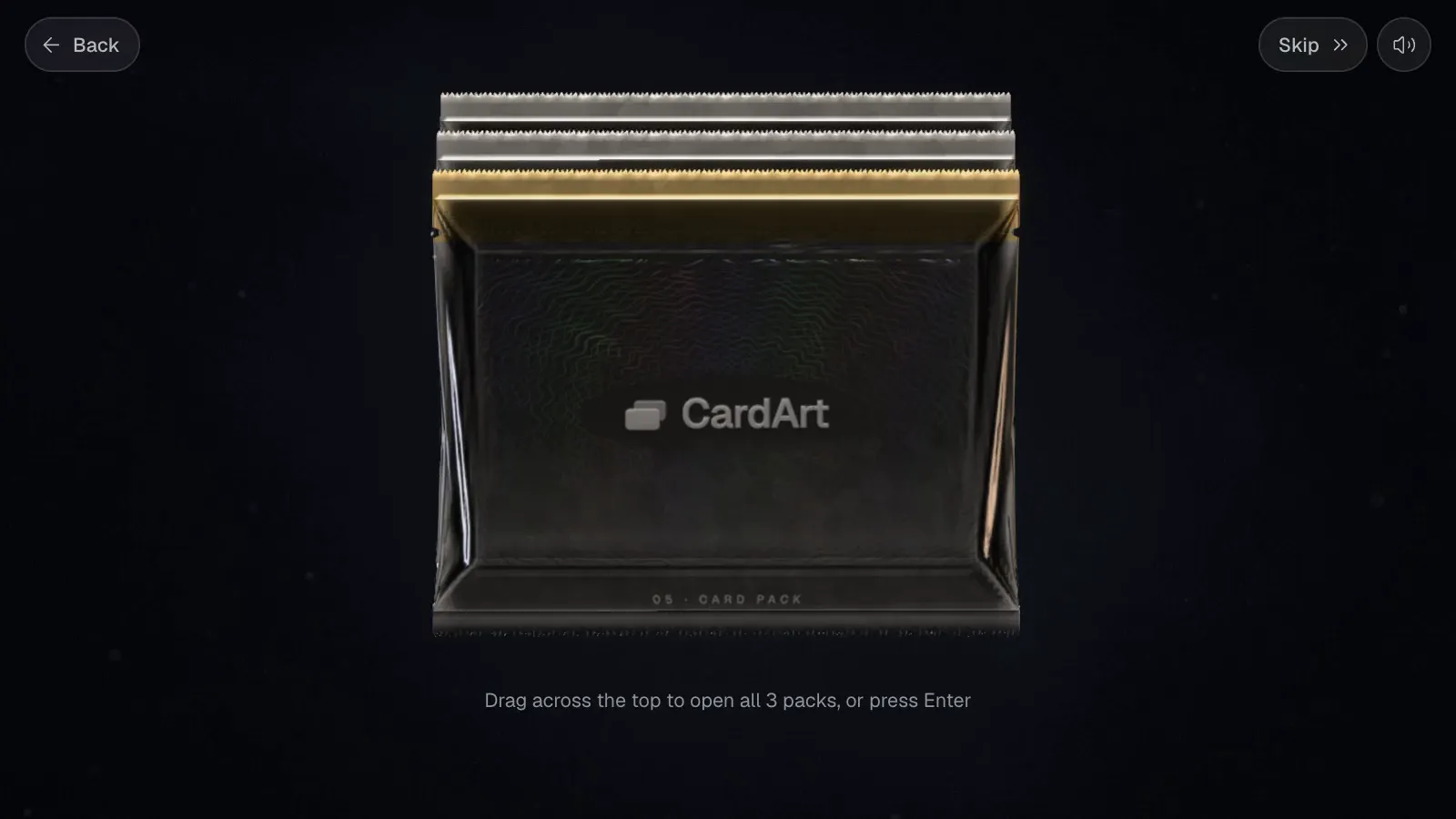
    • With two or more packs in Open a pack, you can open them in one go, up to 10: one cut opens the whole stack, and packs holding a gold or prism card glow as they open. Cards are revealed pack by pack, or tap Auto at the bottom right to play through. The results list every pack, and new cards go into your collection one by one.
    • Odds and guarantees work exactly as when you open packs one at a time.
    • Recording pack openings as video has been removed.
  67. More themes to explore

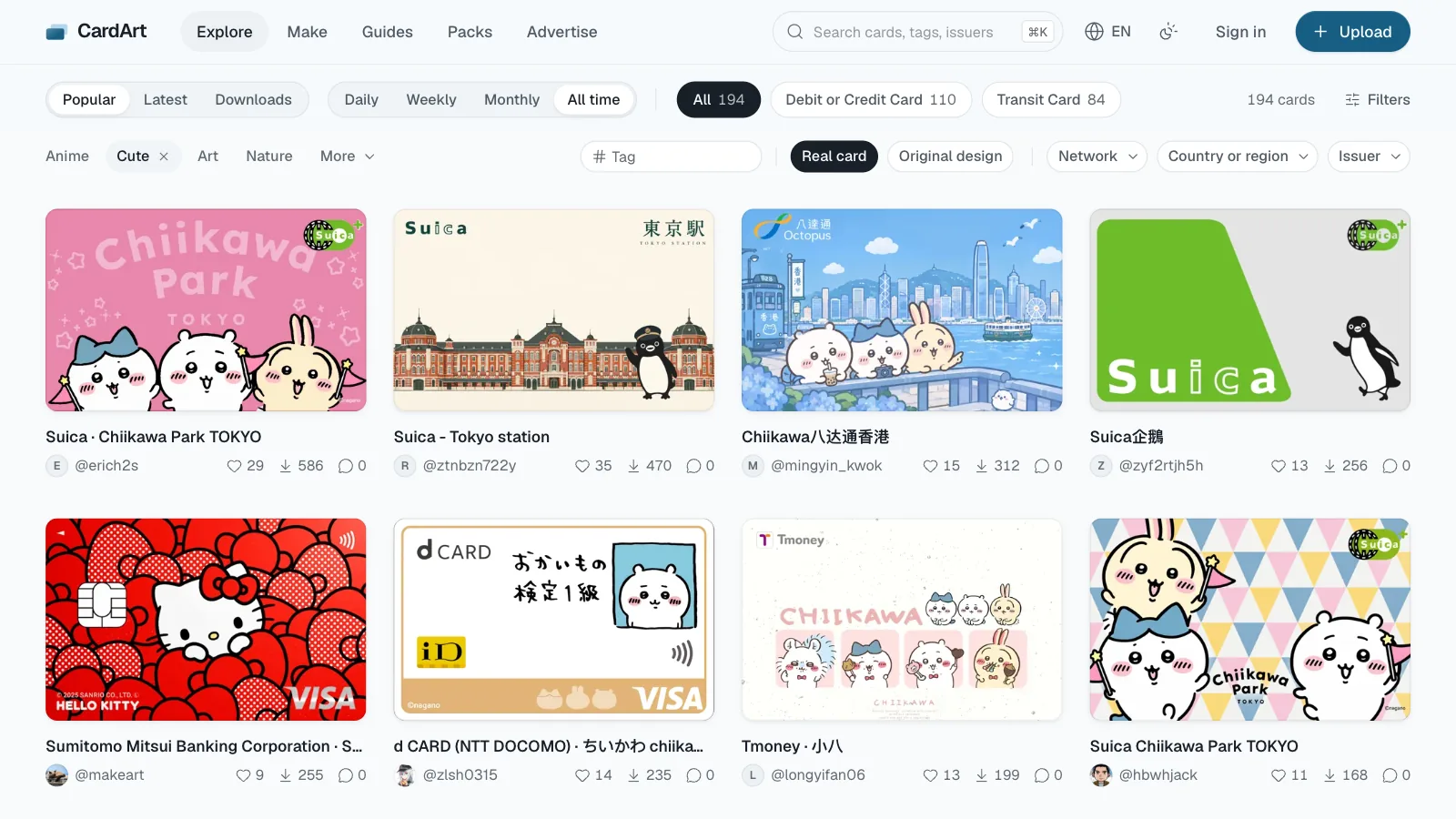
    • Explore now includes Art, City & Travel, Sports, Brands and Luxury. Combine them with card type, region and other filters.
  68. Edit images right in the card maker

    • Repair, erase and crop your uploaded images without leaving the card maker. Repair covers small blemishes with nearby pixels, erased areas let the card background show through, and crop can match the card's proportions.
    • Everything runs on your device, and every edit can be undone. On phones, pinch with two fingers to zoom in on fine details.
  69. Discover card art by theme

    • Explore now lets you browse by visual theme alongside card type, region, origin and search. Select the active theme again to clear it.
    • Cards with themes show links on their detail pages. Filtered URLs can be shared, refreshed and revisited with Back and Forward.
  70. CardArt now speaks German

    • Choose Deutsch in the language menu to browse, create card art and play in German. Guides, legal pages and the changelog are also available in German.
    • Improved wrapping and spacing for leaderboard hints, pack sign-in buttons and editor color options so longer labels fit on narrow screens.
  71. Social accounts on your profile

    • Add your X, Instagram or Xiaohongshu in Settings and their icons show next to your username on your profile. Use your username for X and Instagram, and your profile’s share link for Xiaohongshu.
  72. A new phone layout for the maker

    • The card stays the full width of the screen: a fixed toolbar sits at the bottom, and a panel takes at most 40% of the screen instead of shrinking the card. On phones the site header makes room for the card; ⋯ › Back to home leads out.
    • The toolbar follows the selection: Edit text, Font, Color and Size for text; Color, Tint, Replace and Opacity for a mark; the rest under More. Duplicate, lock and delete sit right above the selected layer.
    • Add opens on all 10 categories at once, with no sideways scrolling; each mark shows its name and version underneath (such as “Mastercard Brand Mark · keyline”), and search, region and colour share one row.
    • New: Nudge moves a layer 1 or 10 px at a time with arrow buttons. Fonts are a list of tiles, each written in its own font.
  73. Bank of Hangzhou in the maker

    • Banks now has Bank of Hangzhou: the horizontal logo (the flowers-and-birds triangle with hzbank, 杭州银行 and BANK OF HANGZHOU), with the symbol-only version beside it. Search “Bank of Hangzhou”, “杭州银行” or “hzbank” to find it.
  74. Guides updated: AirCard-iOS now works from iOS 18

    • AirCard-iOS now works on iOS 18–26 too: import the pairing file from SideStore, LiveContainer or a similar tool.
    • The Mac and Windows guides cover the latest versions, with steps for several devices, Wi-Fi, restoring the original art and failed flashes.
  75. Jinhua Citizen Card mark in the maker

    • Transit now has the Jinhua Citizen Card mark; search “Jinhua” or “八婺通” to find it.
    • It also comes as a horizontal lockup with the 金华市民卡 lettering, with the symbol-only version beside it.
  76. Mini-games open faster

    • The first time you open Open a pack or Overhang, the scene shows up right away instead of a blank wait, with a progress bar on slow connections.
  77. PSD files in the maker

    • Signed in, the maker can open PSD files with each layer editable on its own, and download your design as a layered PSD.
    • Designs with several layers, including ones opened from a PSD, can be published with their layers so others can keep editing.
  78. Packs for the daily Overhang top three

    • The top three on each day's Overhang board now win packs: +5 for 1st, +3 for 2nd and +2 for 3rd. Visit Open a pack within 7 days, starting the next day, and they're added automatically, outside the daily cap. The board now shows yesterday's top three instead of only the winner.
  79. New brand marks in the maker

    • Other → Brands now has animate, Suruga-ya, Weekly Shonen Jump / JUMP SHOP, Aniplex, ALDI and Mijia, including stacked versions, standalone symbols, ALDI China's 奥乐齐 badge and ALDI's single-colour logo.
  80. Two mini-games

    • Open a pack: five gallery cards per pack, revealed one by one. Packs are free, two a day, with more for liking, following, sharing, playing the daily Overhang and getting a card published. Cards you open go into your collection, and you can record the opening as a video to share.
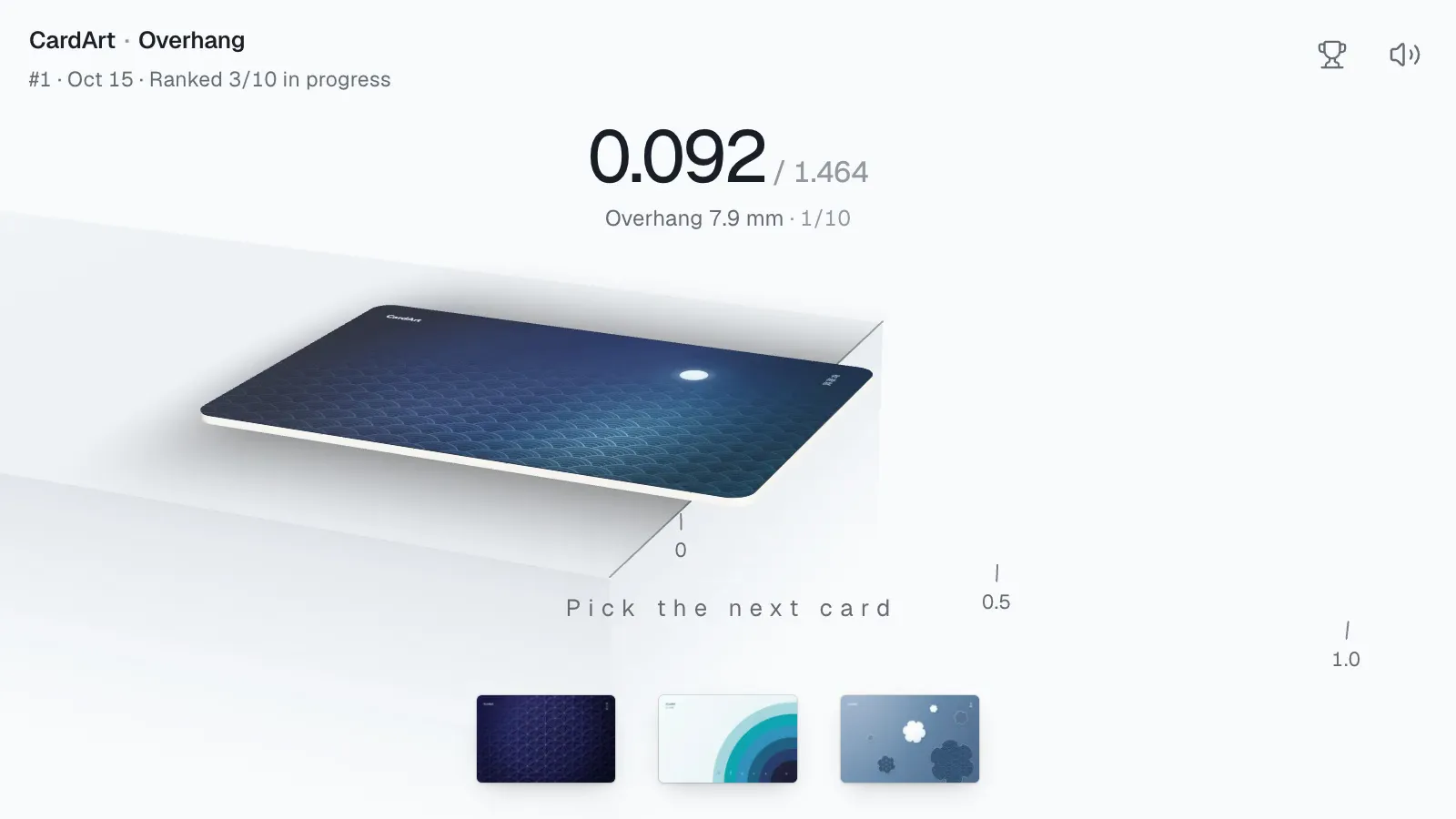
    • Overhang: the same ten cards for everyone each day; push them past the table edge one by one to see how far they reach, with a daily leaderboard.
  81. Delete drafts in bulk

    • Select several drafts in All drafts and delete them at once, with undo. Right-click a tab to close others, close tabs to the right, or delete the draft.
  82. Taiwan bank logos and logo-free previews

    • The card maker has 17 more Taiwan bank logos, and uploads now list every Taiwan card issuer.
    • Cards with a logo-free version show an eraser icon next to the title. On a computer, rest the pointer on it to preview the card without logos, and click to open that version.
  83. Card source, car keys, car logos and new fonts

    • Cards now have a source: Real card or Original design. Choose it when uploading, and filter or search by it on Explore.
    • New card type: Car Key. The card maker has a new Car logos tab with 120+ car brands.
    • A scaled-down background can fill the rest of the card with its edge colour, a colour you pick or one sampled from the image; alignment guides show while you reposition it.
    • Small images upload at their original size instead of being rejected, and the upload editor can open your composition in the card maker.
    • Added 25 free fonts, plus logos for Quanchengtong, Zhengzhou Metro, Qingdao Metro, Saudi banks, MUJI, Lawson, FamilyMart and more.
    • The home page loads faster.
  84. Follow creators; a screensaver for Wander

    • Follow the creators you like: the new Following tab on Explore shows their new cards, newest first, and you get notified when they publish (turn it off in Settings).
    • Featured creators replace the old Featured section on the home page, with their cards stacked like in Wallet — tap to flip through; the new Creators tab on Explore and search find creators too.
    • Explore can show only cards Without logos or with Editable layers.
    • The Wallet preview has a Covered view: see the strip of your card that shows when other cards sit on top of it.
    • Wander has a drift speed slider and a full-screen screensaver with a clock.
    • Images for uploads and the maker can be up to 30 MB, and the maker on phones has asset search.
    • New Transit marks: Tokyo Metro lines, JR Shikoku and JR Freight, Suica, Hangzhou Citizen Card, Hankyu, Kintetsu and more.
    • Card switching, loading more and search suggestions are faster.
  85. 38 universities, and metro marks with names

    • The Schools tab now has 38 universities (China's 985 list, except the National University of Defense Technology).
    • New lockups with names for the MTR and the Shanghai, Hangzhou, Beijing, Shenzhen and Taipei metros; a JR Kyushu lockup and China Railway in blue.
    • New marks for China Broadnet, Alibaba in Chinese and Fliggy.
  86. More flexible scaling in the maker

    • Select an icon or uploaded image, then scroll over the selection to resize it.
    • Background images can shrink to 10%, with uncovered areas filled in black.
    • MUJI and UNIQLO marks are now in Other → Brands.
    • Novo
    • Melhorado
    • Corrigido

    Schools and more marks; steadier, faster pages

    • The maker has a new Schools tab with the crests of 16 universities, including Peking, Tsinghua and Zhejiang.
    • New marks for China Mobile, China Unicom, China Telecom and major carriers in Japan, Korea and the US; JR, China Railway and Deutsche Bahn; the Tokyo, Osaka, Kyoto and London metros; Japan's IC card mutual-use mark and the Hangzhou citizen card; and Alipay in English.
    • Fixed pages that sometimes kept loading after signing in; card lists on Explore load faster.
  87. Email sign-in, resubmitting and editable layers

    • Sign in with a code sent to your email. Gmail, iCloud, QQ Mail, Outlook and other common providers are supported.
    • Rejected or removed card art can now be viewed, deleted, or edited and resubmitted, with a new image if you like.
    • Others can open the layers of card art published from the maker and keep editing. You can turn this off when publishing.
    • Six more airlines and more Chinese rural bank marks; rounded images get their corners filled; versions without logos keep the images you uploaded.
  88. New guide: start with a Plasma crypto card

    • No card yet? This guide covers a Visa crypto card you can add to Apple Wallet (sponsored).
  89. Clearer Korean on Windows and Android

    • On devices without Apple's Korean system font, the Korean interface now uses the open-source font Pretendard.
  90. 30 open-source fonts in the maker

    • Text layers can use 30 open-source fonts, grouped by language in the font menu.
    • The exported PNG matches what you see on the canvas.
  91. Korean; airlines and library search in the maker

    • The whole site is now available in Korean, and the header's language menu switches between all four languages.
    • The maker adds an Airlines tab, plus more Korean and metro marks.
    • On desktop, search the whole library from the top bar.
  92. Wander: an endless wall of cards

    • The new Wander page lays a random batch of cards on an endless wall.
    • Drag to move around, zoom in and out, or Shuffle for a fresh batch.
    • Open any card to preview, like or download it.
  93. Wallet simulator

    • Open it from your profile or the account menu, and your cards line up in the Wallet of a 3D iPhone.
    • Change the phone's color and drag to turn it.
    • Turn on Card number to check where Wallet's number line will sit on your art.
  94. A much bigger maker library, and versions without logos

    • Many new bank and co-brand marks, with default positions matched to real cards and a region filter.
    • Any one-color mark can take a custom color, a metal gradient or a holographic foil.
    • When you upload from the maker, you can also publish a copy without marks and text.
  95. Japanese, and charts under Popular

    • The whole site is now available in Japanese.
    • Popular on Explore now has Daily, Weekly, Monthly and All time charts.
    • A new guide for AirCard Injector on iOS 26.
  96. Maker: several drafts at once, and AI generation

    • Work on several cards at once; drafts stay on your device.
    • The new AI generation page gives you a tuned prompt to copy into ChatGPT, Gemini or Grok and generate the whole card.
    • The library gains an Other tab, more transit cards and more tier marks.
  97. A 3D iPhone on the home page, two-column browsing on phones, and feedback

    • The home page now shows a 3D iPhone you can drag to turn.
    • On phones, Explore and profiles default to a two-column grid.
    • New Feedback; replies show up in notifications.
  98. CardArt is live

    • CardArt is a gallery of Apple Wallet card art: find a design you like, download it, and put it in your own Wallet with AirCard.
    • Explore by card type, country or region, issuer and network, or just search.
    • Sign in to share, like and comment on cards, and build your own in the maker.